How Can Design Create a Sense of Safety and Trust?
Trust is one of the most fundamental feelings shaping human interaction with technology. Before reading the text or looking at products, visitors decide within the first few seconds whether a website seems trustworthy. This quick, unconscious judgment is shaped by design, visual cues, and user experience. An untrustworthy-looking website is more than an aesthetic problem; it is a serious barrier to sales, sign-ups, engagement, and even reading the content.
In this article, we explore how design can build trust, which signals reassure users about a website, and what can undermine that trust.
What Is Trust, and Why Does It Matter More in the Digital World?
Trust in a website means that users feel the site is:
- Secure
- Professional
- Transparent and credible
- Concerned about their interests
- Not trying to take advantage of them
In the physical world, people make decisions by seeing others’ faces, their surroundings, and the behavior of salespeople. In the digital world, none of these cues are present. A website must therefore make up for this gap through design. Users cannot easily tell how secure a site’s systems are behind the scenes, but they can see signals that give them confidence.
A Professional Appearance: The First and Fastest Signal of Trust
One of the first factors affecting users’ trust is a site’s appearance. An outdated, cluttered, or inconsistent design quickly makes a site seem unprofessional.
Visual elements that strengthen trust include:
- A coordinated color palette
- Organized composition
- High-quality, authentic images
- Professional, readable fonts
- Appropriate spacing and a clean design
A site’s appearance is a brand’s spoken language. If that language feels unprofessional and disorganized, users will find it hard to trust the brand.
Site Speed and Performance: Trust Through Experience
A site that loads slowly or stalls as users move between pages can make them suspicious. Psychologically, users tend to see fast websites as more secure and professional.
By contrast, slowness or repeated errors can suggest instability or technical weakness. That may be enough for users to feel that the site cannot keep their data safe.
Security Signals: Indicators That Put Users at Ease
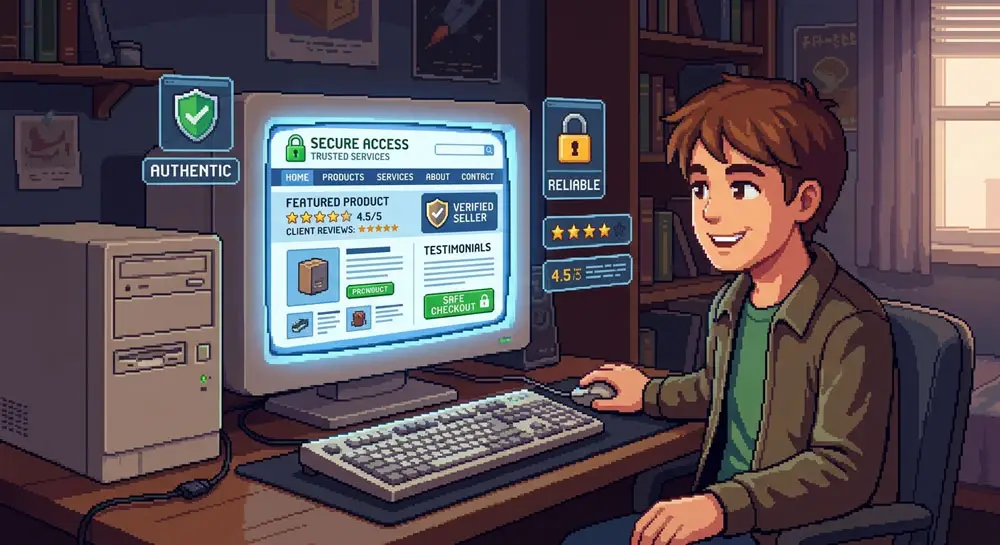
When entering sensitive information, users look for tangible signs of security. One of the most important is an SSL certificate, shown by a lock icon in the browser.
Other security-related trust signals include:
- Displaying the logo of a reputable payment gateway
- Clearly explaining the privacy policy
- Offering secure payment methods
- Displaying encryption or security-protocol notices
Even if users do not understand the technical details, these signals can put them at ease.
Social Proof: Trust Through Other People’s Experiences
Humans are social by nature. We rely on other people’s behavior and opinions when making decisions. Social proof can also play an important role in building trust on websites.
Key forms of social proof include:
- User reviews
- Ratings
- Number of buyers
- Authentic customer photos
- Logos of client companies
- Media outlets that have covered the site
Showing this evidence tells users that other people have trusted the site too.
Content and Transparency: Honesty Puts People at Ease
Transparency is one of the foundations of trust. Users want to know what services they will receive, what the rules are, and what will happen if something goes wrong.
Elements of transparency include:
- Accurate descriptions of products or services
- Unambiguous pricing
- Genuine contact information
- Clear, understandable copy
- Avoiding exaggerated promises
Websites that provide incomplete or misleading information often create doubt and distrust.
Branding and Content Tone: Creating a Trustworthy Personality
A brand is more than a logo; it is a collection of messages, writing style, and digital behavior. Content tone plays a fundamental role in shaping trust.
Tones that build trust are:
- Honest
- Direct
- Friendly
- Professional
- Educational
Tones that undermine trust, however, are:
- Overly promotional
- Vague
- Unrealistic
- Overly emotional
- Full of clichés
The right tone makes users feel as though they are speaking with a responsible, reliable person.
Structure and Navigation: A Sense of Control and Security
Users trust a site when they can move through it easily. If its structure is complicated, misleading, or disjointed, users feel they have lost control. That feeling can lead to distrust.
A trustworthy website has a simple, predictable structure:
- A clear menu
- Short, logical paths
- Well-categorized sections
- A complete footer with credible information
The more transparent the experience feels to users, the more they trust the site.
Errors and System Messages: How Problems Are Handled
No website is error-free, but how it handles errors makes a big difference. An error message should be:
- Specific
- Respectful
- Clear
- Accompanied by a solution
Harsh, vague, or confusing messages can create distrust.
Microinteractions and Animations: A Human Connection
Microinteractions—small details such as button responses, loading animations, or progress messages—make a site feel alive and trustworthy.
These small elements show users that the system is responding and that its infrastructure is reliable.
Consistency in Design: Coherence Builds Trust
Nothing undermines users’ trust as much as inconsistency in design. Changing colors or fonts, or having stark differences between pages, makes a site seem unprofessional.
Consistency in:
- Colors
- Fonts
- Buttons
- Page designs
- Content tone
helps users feel secure and know what to expect.
Conclusion: Trust Is the Result of Many Details
Trust in a website cannot be created by a single element; it is the combined effect of many factors that create a sense of security. Professional design, appropriate speed, social proof, transparency, technical security, and a good user experience all work together to help users trust a site.
When users trust, they engage;
when they engage, they stay on the site;
and when they stay, they become customers or followers.
Ultimately, trust is not a technical feature but a deeply human experience.